

id+ card
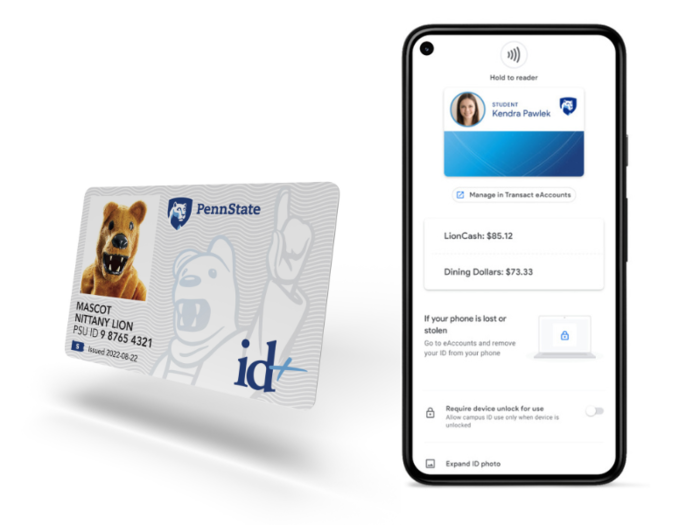
Mobile id+ card is Penn State's preferred credential with physical cards only being offered as an exception. Both mobile and physical credentials offer contactless access to assigned buildings, residence halls, and other select areas on campus. You can also use them to pay for meals with a Meal plan or LionCash and get into gyms, athletic facilities, and events (if tickets have been purchased). Duplicate credentials are not permitted. For information about the mobile id+ project, read Penn State Mobile id+ Card to serve as University's primary credential.
Make the move to mobile! It takes less than 5 minutes to activate your Penn State Mobile id+ Card.
Submit Your Photo
The first step to getting your mobile id+ card or id+ card is submitting a photo of yourself and your government-issued photo ID. Once these photos are approved, you will be able to complete the next steps. If you have questions, email the id+ Office at idcard@psu.edu.

Card Policies
It is important to be informed of the policies and procedures of your id+ card. Policy AD24 is the University's governing policy on identification cards for students, faculty, staff, affiliates, and retirees. You should also be familiar with Penn State id+ Cardholder Disclosure Statement.
Please take care of your id+ card. Improper care or usage may include:
- Bends, breaks, gouges, marks, or punctures to the id+ card
- Scratches on the magnetic stripe or NFC Contactless icon
- Exposure to extreme temperatures and/or magnets
- Equipment damage (such as from a washer or dryer)
Tap Your id+ card
We have upgraded card access readers from magnetic swipes to tap-n-go or tap-n-pay technology. This tap technology is compliant with both your id+ card and the mobile id+ card. While the mobile id+ card is Penn State’s primary credential, students and employees are required to choose only one credential, either the mobile id+ card or physical id+ card. To learn more, review the Frequently Asked Questions (FAQ).
Low Balance Alerts: Have you tried adding LionCash and Meal Plan low balance alerts to eAccounts?